


Tattoo Maker: Design & Art
3.512.00 Reviews
App Specs
- Version
- 1.1.8
- Updated On
- License
- Free
- Downloads
- 500,000+
- Developer
- MegaMod Studio
- Categories
- Beauty
- Platform
- Android, iOS
Screenshots
 Analysis by AppCompare
If you're anything like me, you've probably spent countless hours doodling on notebooks, imagining what that perfect tattoo might look like on your skin. Well, the Tattoo Maker: Design & Art app might just be the creative outlet you've been searching for. This app promises to unleash your inner tattoo artist, offering tools and options that are as exciting as they are user-friendly. Let’s dive into what makes this app a must-try for both aspiring tattoo artists and enthusiasts alike.
Getting Started with Tattoo Maker
First off, downloading Tattoo Maker: Design & Art was a breeze. Available on both Android and iOS, the app is lightweight, so you won’t have to worry about it hogging too much space on your phone. Once you open it up, you’re greeted with a sleek and intuitive interface that feels like a digital sketchbook. The app's layout is super easy to navigate, even if you're not the most tech-savvy person out there.
The Creative Palette
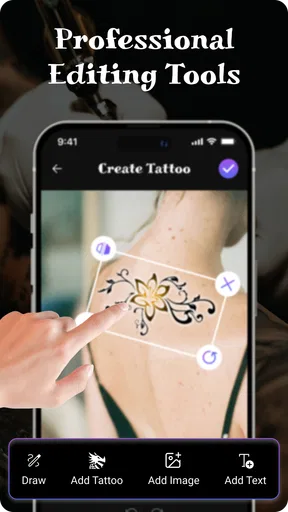
The app offers a wide range of tools to bring your tattoo designs to life. From classic black ink to vibrant colors, you can experiment with different styles and shades. The brush tools are very responsive, mimicking the feel of a real tattoo machine. You can adjust the brush size and opacity, allowing for fine details or bold outlines, depending on your artistic vision.
One of my favorite features is the layering option. It’s like Photoshop for tattoos! You can create multiple layers to build up your design, making complex artwork more manageable. This is especially handy if you're working on intricate designs that require a bit more finesse.
Templates and Inspiration
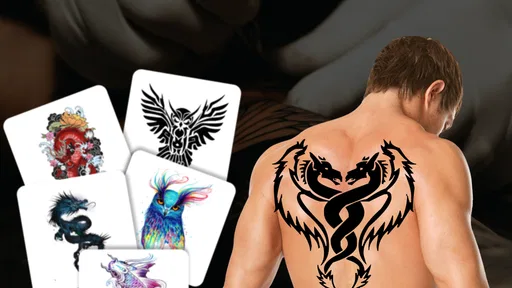
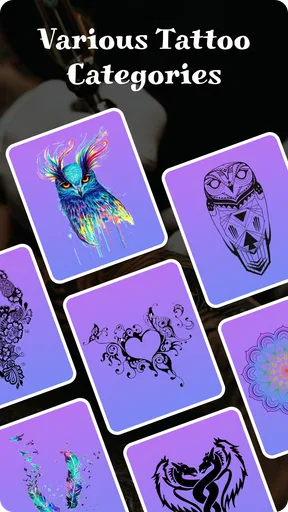
Not sure where to start? No worries. The app provides a variety of pre-designed templates to spark your creativity. From traditional tribal patterns to modern geometric designs, there's something for everyone. You can customize these templates to suit your style or use them as inspiration to craft something entirely unique.
Additionally, there’s an inspiration gallery featuring designs from artists worldwide. Browsing through these can give you fresh ideas and insights into the latest tattoo trends.
Testing Your Designs
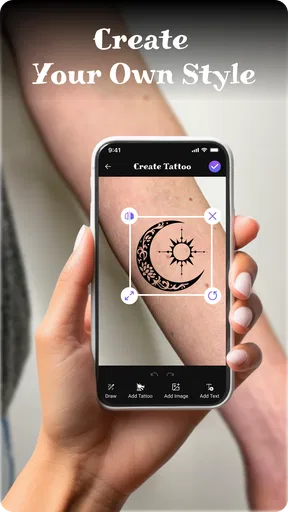
One of the coolest features of Tattoo Maker is the ability to virtually test your designs on a photo of your own skin. Simply upload a picture, and you can see how your creation will look on your arm, leg, or wherever you plan to ink it. This is a game-changer, especially for those of us who are a bit indecisive about tattoo placement.
Worth Reading Before You Choose

EA SPORTS FC Mobile 26 Is a Bigger Football Game, but It Takes Time

Flipboard Shows What News Apps Must Do Beyond the Feed

Switching to Android Auto Means Rethinking Your Driving Routine

Google Calendar Makes a Crowded Week Easier to Manage

Ludo King Makes the Most of the Minutes Between Plans

Baby Panda World Brings Quick Play to Modern Phones, but Its Game Library Feels Busy
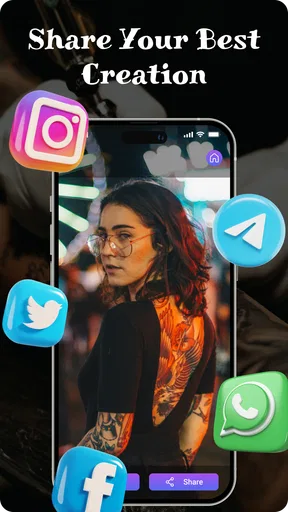
The app also allows you to share your designs directly from the platform, whether you want feedback from friends or plan to consult with a professional tattoo artist. It’s a great way to get a second opinion before making any permanent decisions.
Usability and Performance
As someone who’s not always gentle with apps, I have to say, Tattoo Maker: Design & Art holds up well. The app runs smoothly without any noticeable lag, even when working on more complex designs with multiple layers. The developers have clearly put in the effort to ensure a seamless experience, and it shows.
Customer support is also worth mentioning. If you encounter any issues, the app offers a detailed FAQ section, and the support team is quick to respond to inquiries, ensuring that you’re never left in the dark.
Final Thoughts
In a world where self-expression is key, Tattoo Maker: Design & Art provides a platform to experiment, design, and unleash your creativity. Whether you’re a seasoned artist or just starting out, this app offers something for everyone. It's a fantastic tool for those who want to explore the art of tattooing without the commitment of actual ink.
So, if you're ready to let your imagination run wild and test out some killer designs, give Tattoo Maker a try. Who knows? You might just discover your next favorite hobby or even your future career!
Pros
- Intuitive interface for easy navigation.
- Wide variety of design templates available.
- Customizable options for unique creations.
- High-resolution export for professional use.
- Regular updates with new features.
Cons
- Limited free design elements.
- Occasional ads disrupt the workflow.
- Requires internet for full functionality.
- In-app purchases can be pricey.
- Some features have a steep learning curve.
FAQs for Tattoo Maker: Design & Art
What features does Tattoo Maker: Design & Art offer?
Tattoo Maker: Design & Art offers a comprehensive suite of tools for designing tattoos. Users can access a variety of brushes, colors, and templates to create unique designs. The app also includes a virtual canvas to test out designs on different skin tones, helping users visualize how the tattoo will look in real life.
Is Tattoo Maker: Design & Art suitable for beginners?
Yes, Tattoo Maker: Design & Art is designed to be user-friendly, making it suitable for both beginners and experienced artists. The app includes tutorials and guides that help newcomers understand the basics of tattoo design, while also offering advanced features for more experienced users to refine their art.
Can I use Tattoo Maker: Design & Art offline?
Tattoo Maker: Design & Art does offer offline functionality, allowing users to work on their designs without needing an internet connection. However, some features, such as cloud saving and sharing options, require an online connection to function properly.
Are there any in-app purchases in Tattoo Maker: Design & Art?
Tattoo Maker: Design & Art is free to download, but it includes in-app purchases. These often offer additional design templates, premium tools, or ad-free experiences. While the basic version provides plenty of features, purchasing extras can enhance your design capabilities.
How do I share my designs from Tattoo Maker: Design & Art?
Sharing your tattoo designs is straightforward with Tattoo Maker: Design & Art. The app allows you to export your creations directly to social media platforms or save them to your device. You can also send designs via email or messaging apps, making it easy to share your art with friends or clients.


